My Apps
Endpoint URL: /apps/
The “My Apps” page is your central access point for all of your apps. Here, you can find any apps you have access to, whether you own (created) them or they have been shared with you.
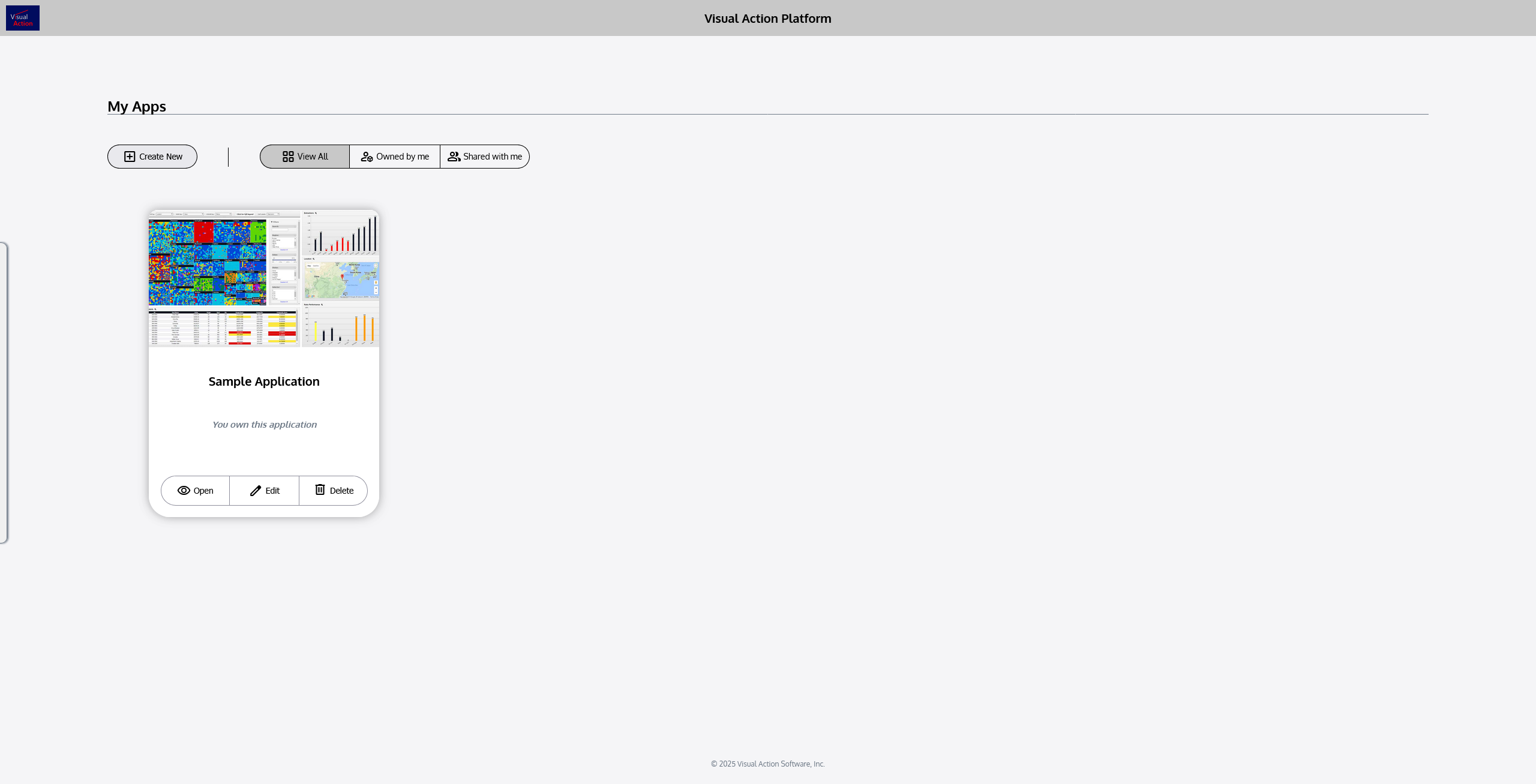
Beneath the title of the page (“My Apps), there are some controls:
 | Selecting this button creates a new app and opens it for editing. |
|---|---|
 | Filter #1: View All This filter displays all of your apps on the screen, including both apps you own and apps that are shared with you. |
 | Filter #2: Owned by me This filter displays only apps that you own. |
 | Filter #3: Shared with me This filter displays only apps shared with you (owned by others). |
In the main body of the page, your apps will be displayed according to the filter selection that is applied. By default, “View All” is selected, but if you are having trouble finding an app, check that it isn’t being filtered out.
Each app in your collection is represented by an app card, which looks like this:
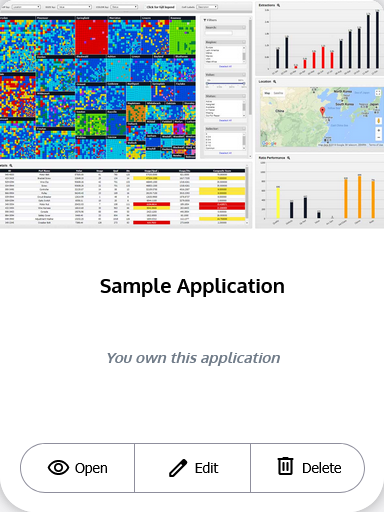
Each app card displays five main components:
Thumbnail
A thumbnail image of the application.
Title
The name of the application.
Ownership Details
Whether you or someone else owns the original application.
Description
A short set of details about the application.
Controls
Buttons that allow you to open, edit, or delete an application.
The controls enable you to take action with an application.
 | Opens the application for viewing and use only (no editing). |
|---|---|
 | Opens the application in edit mode, where it can be modified. |
 | Deletes the application. You will be prompted to confirm. |
It’s important to note that the control buttons you see on an app card may differ, depending on your ownership or permissions with that application.
For example, if another user shared an app with you, but only gave you permission to use the application (not to edit it), you will only see the “Open” button. But if you were granted edit access, you will see both “Open” and “Edit”.
Only the owner of an application is allowed to delete it, so you will not see this option on any apps shared with you.